We’ll be using the AD DS MMC Profile for this section.
Preparing for Connection
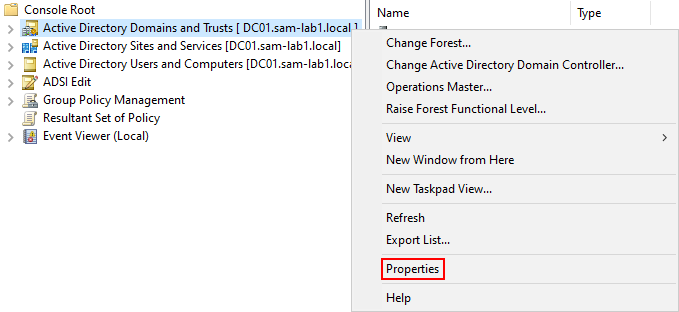
Right-click AD Domains and Trusts and select Properties.
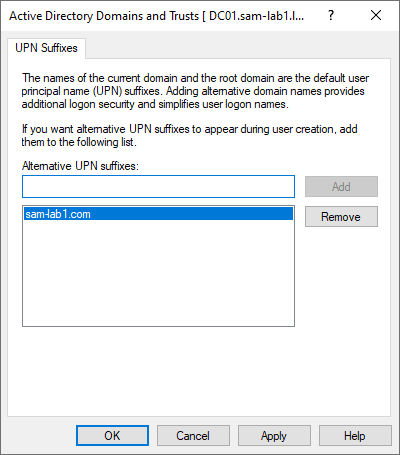
Enter the same domain you added to the M365 environment and click Add.
You will see it populate in the list below.
Updating the UPN four ALL Users
Microsoft provides a simple script for us to use in updating global UPN assignments for our users. I made some minor tweaks to print out the output.
You can read more about it here.
Run Windows Powershell ISE as Administrator.
Copy and paste the text below into the editor and modify it as needed.
Click the green Run/Play button.
$LocalUsers = Get-ADUser -Filter {UserPrincipalName -like '*mydomain.local'} -Properties UserPrincipalName -ResultSetSize $null
$LocalUsers | foreach {$newUPN = $_.UserPrincipalName.Replace("mydomain.local","mydomain.com"); $_ | Set-ADUser -UserPrincipalName $newUPN; Write-Host "$_ UPN has been updated to $newUPN"}
As we can see, the script successfully runs and updates our user’s UPNs.

Preparation Complete!
We’ve successfully prepared our environment!
Please make your way to the next section, where we’ll be running through the setup process for Azure AD/Entra Connect!