Continuing from our installation!
Reference DC01 - Roles - Certificate Authority as needed to refamiliarize yourself with this role’s installation.
Initial Configuration
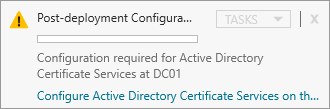
Within Server Manager, click the Flag icon to view Task notifications.
Click the Configure Active Directory Certificate Services hyperlink.
Within the AD CS Configuration Wizard follow the prompts as guided below.
Click Next > 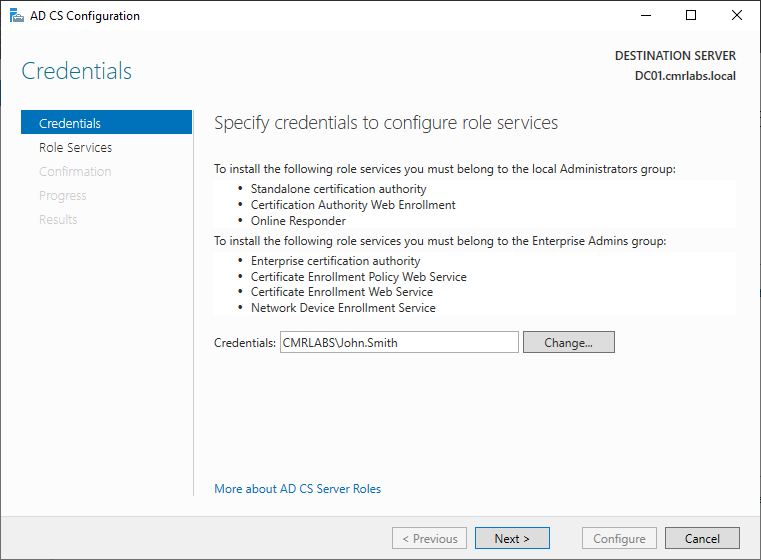
Click Next > 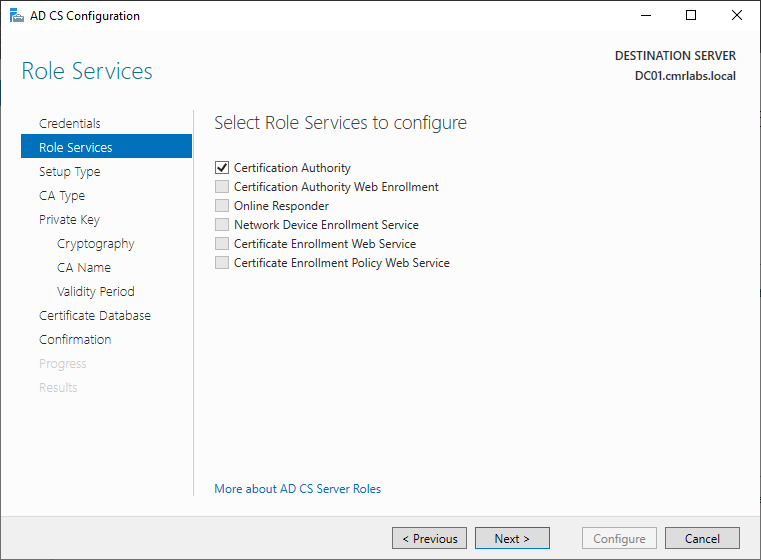
Click Next > 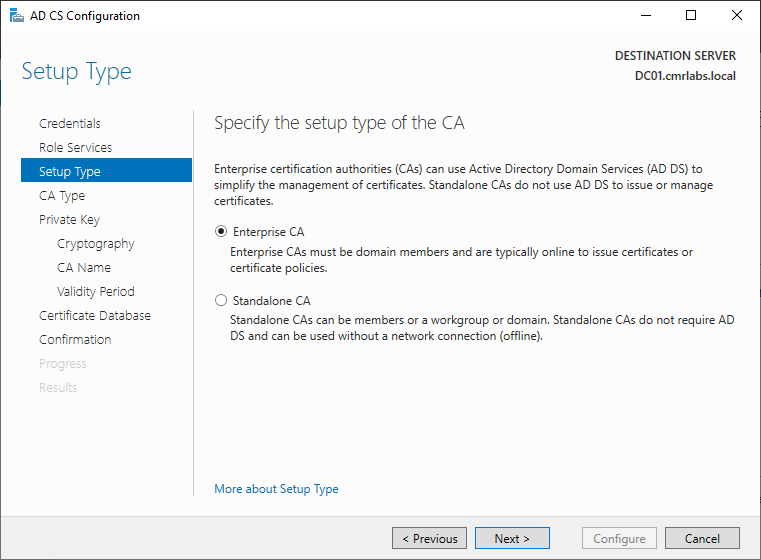
Click Next > 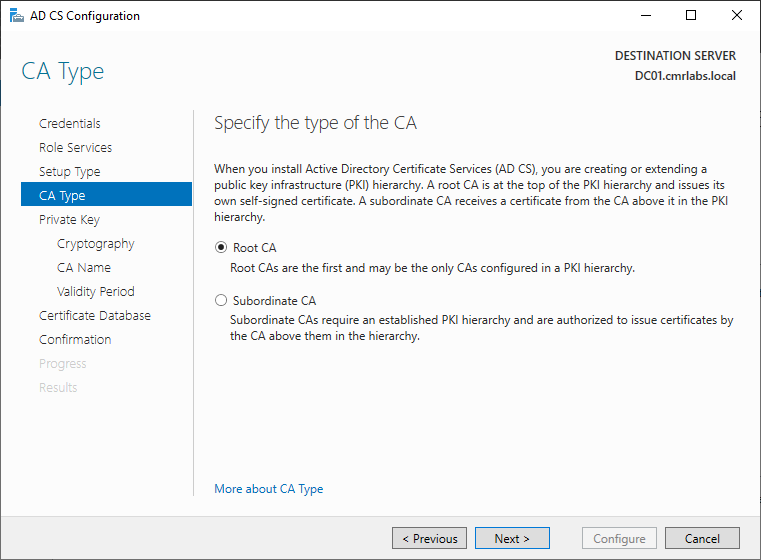
Click Next > 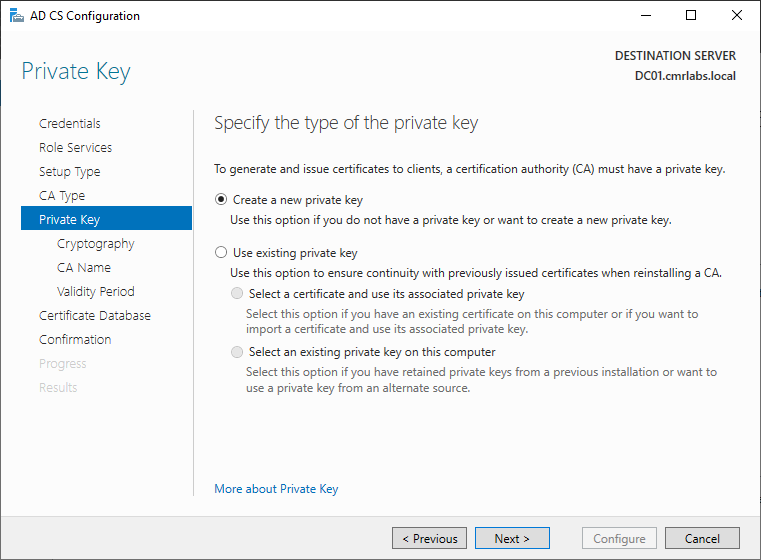
Click Next > 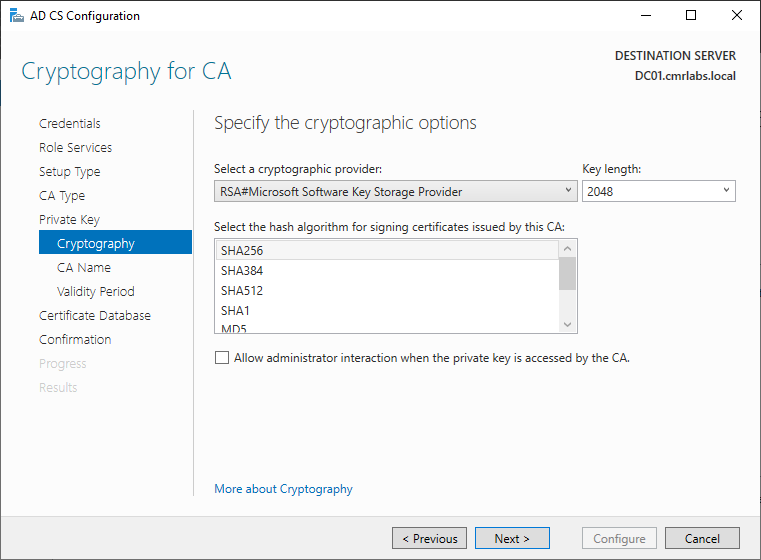
Click Next > 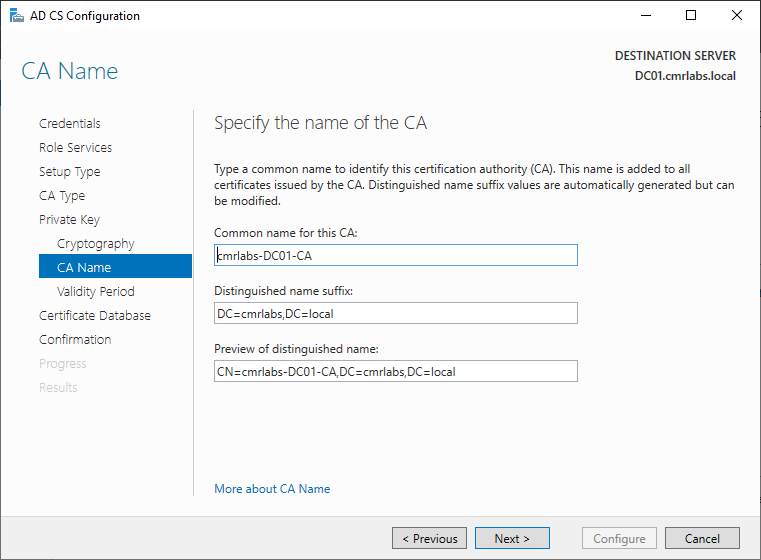
Click Next > 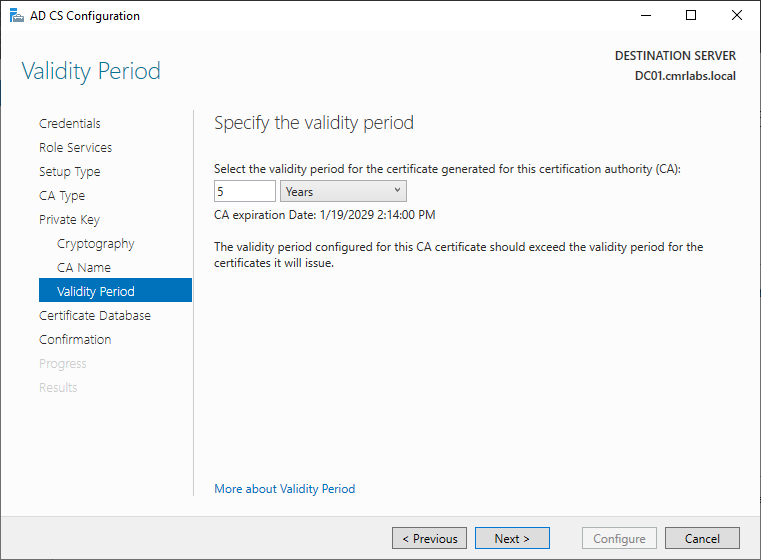
Click Next > 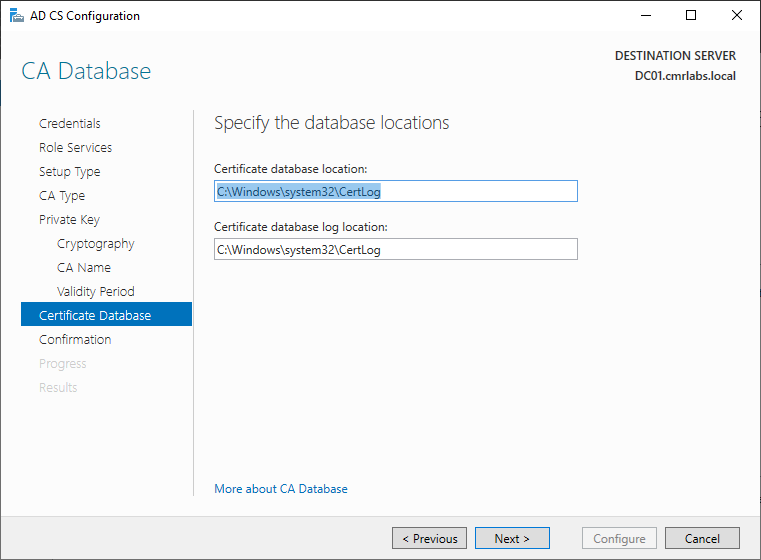
Click Configure 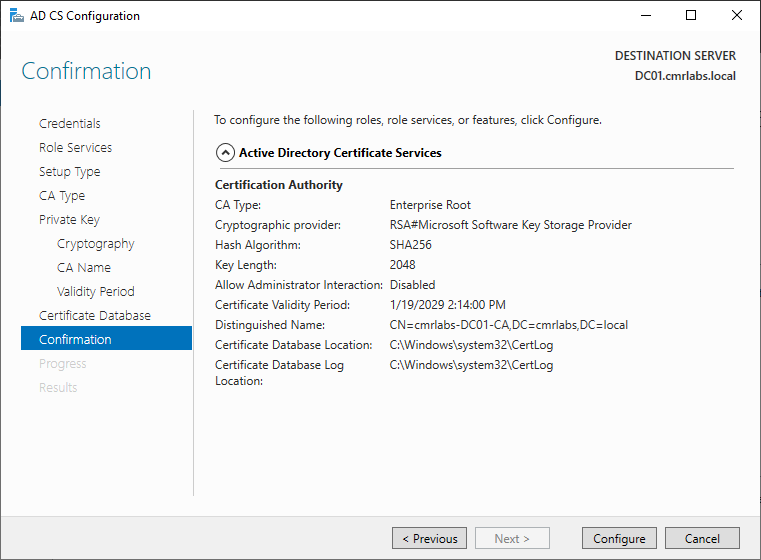
Click Close 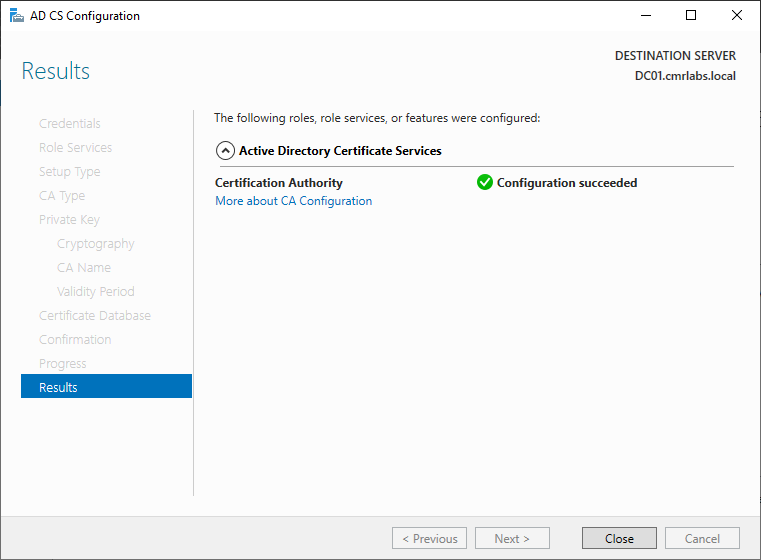
Verifying the Certificate Authority Status
Reboot the server.
Within the Roles MMC Console, navigate to the Certificate Authority Snap-in.
Expand the menu tree as displayed below and verify the Certificate for DC01 exists.

Authority Established!
We’ve successfully configured the AD DS - Certificate Authority!
Please make your way to the next section, where we’ll be creating Organizational Units!